

If you run an Etsy store, sell print-on-demand products, create Cricut files, or make digital downloads to earn extra income, you already know how quickly design tool costs can add up.
Background remover, image conversion, and photo editing tools often charge monthly fees or require you to purchase credits each time you edit an image.
And honestly, when you’re starting out or trying to maintain a profitable side hustle, you know that every little bit counts.
This is why the free local AI background removal tool included with Creative Fabrica Studio Desktop might interest you. Instead of relying entirely on cloud-based AI tools, it allows supported AI features to run locally on your own computer once the necessary model is downloaded.
For Etsy sellers and other creators who regularly edit images, this could definitely save time and money!
What is Creative Fabrica Studio Desktop?
Creative Fabrica Studio Desktop is a free app for Windows and Mac that combines the Creative Fabrica Studio design platform with AI tools that can run directly on your computer.
Once the required AI model is installed, supported tools such as background removal and image scaling can process images locally instead of sending each image to a cloud server.
Note that the desktop app is free to download, and you don’t need a paid subscription or credit card to use the supported local AI tools.
The desktop app also integrates into the Creative Fabrica design workflow, so if you already use Creative Fabrica to create graphics, mockups, or digital products, you don’t need to switch between programs to complete a project.
Why local AI can be useful
Many online AI tools work well, of course, but as you may know, they often have limitations.
Some require you to upload each image individually. Others use credit systems that limit the number of images you can edit before paying again.
If you’re cleaning up a bunch of Etsy listing photos, creating product mockups, or preparing print-on-demand designs, it would get boring quickly.
Running supported AI tools locally can be helpful because you’re not uploading each image to a separate site or burning credits with each edit. This will also be particularly useful if you regularly work with product photos, transparent PNG files, sublimation designs, or digital downloads.
Just be aware that local AI tools always depend on your computer, so performance may vary. A newer computer can process images faster than an older computer.
A look at the workflow
Below is a screenshot of how their desktop app works:
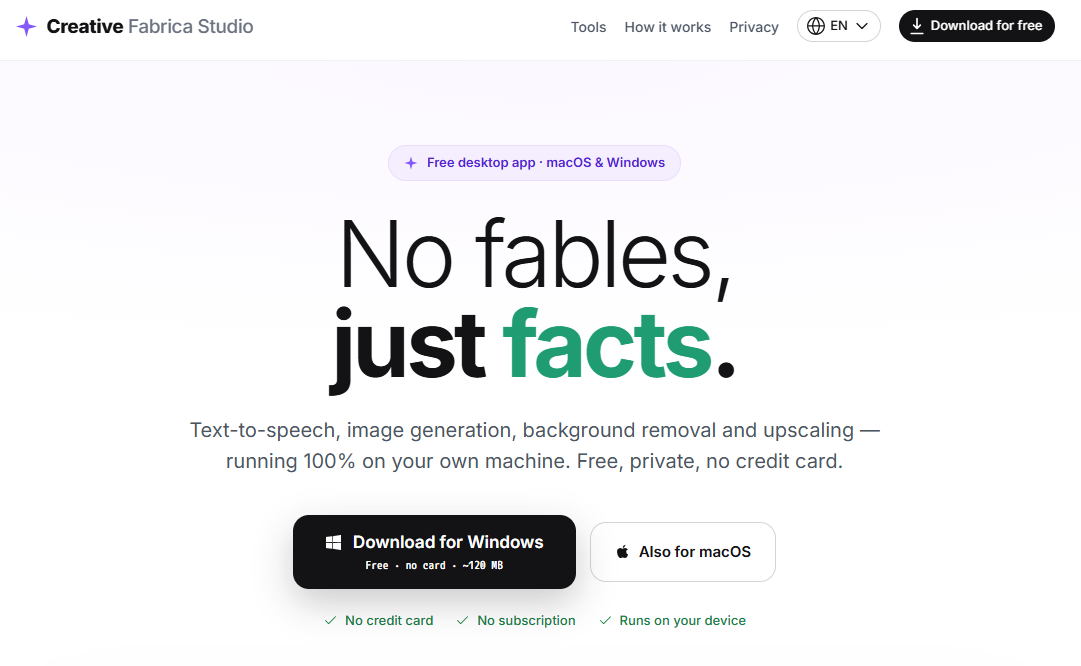
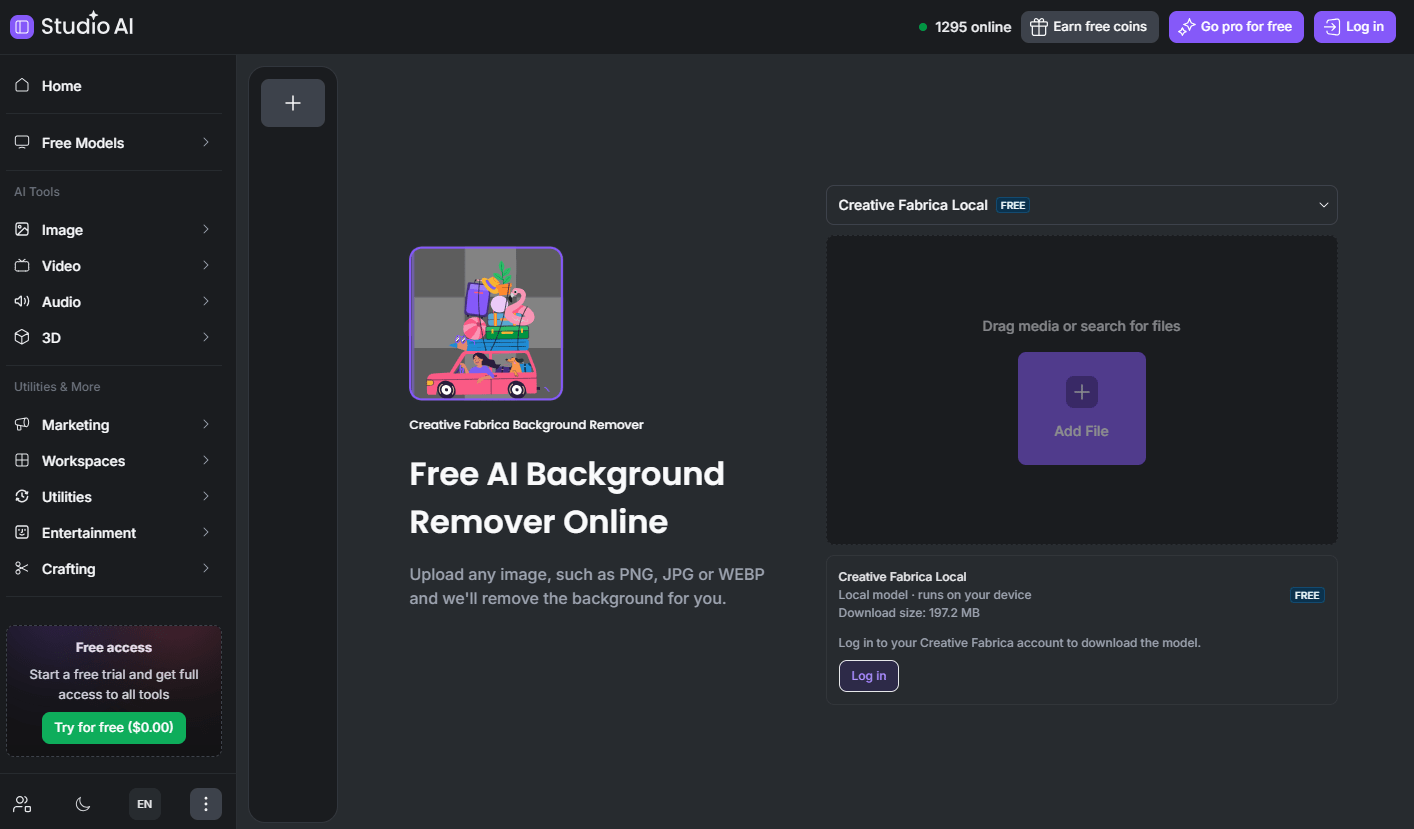
The screenshot shows one of the desktop app’s AI tools in action, with an image being processed in Creative Fabrica Studio Desktop.
I’ve seen that this type of workflow can be very useful for Etsy sellers who need sharper product photos before creating listings.
So if you’re selling physical items, digital downloads, stickers, templates, or handmade products, a clean image can make your listing look much neater.
I noticed that the same idea applies to print-on-demand sellers as well. If your artwork is too small or slightly blurry, an upscaler might be able to help improve the image before uploading it to a printing platform.
That said, you should always review your final file carefully before using it on a product. AI tools can help, but they will never replace reviewing the final design yourself.
Who is it best for?
Creative Fabrica Studio Desktop is ideal for creators who work with images regularly.
This could include:
- Etsy Sellers
- Print-on-demand sellers
- Cricut Users
- Sublimation creators
- Digital Product Sellers
- Teachers creating printable resources
- Small Business Owners
- Anyone selling craft products online
Even if you only edit a few product photos each month, having free tools available on your own computer can make the process a little easier.
Maybe you don’t need something like this every day. But if you’re constantly removing backgrounds, creating transparent PNG files, or trying to sharpen images, it’s definitely worth a try and test!
Advantages and limitations
Nothing is perfect, so here’s the honest breakdown so you know what to expect.
Benefits
- Free download
- No credit card required
- Available for Windows and Mac
- Supported AI tools can run locally after installation
- Useful for removing backgrounds and scaling images
- Integrates into Creative Fabrica Studio workflow
Disadvantages
- Performance depends in part on your computer.
- AI models must be downloaded before you can use them for the first time.
- Very old computers might be slower.
- Some Creative Fabrica Studio features may still require an internet connection or account, depending on what you’re doing.
Keep in mind that these limitations are not unusual for tools like this. Still, I still think it’s better to know these things upfront rather than finding out after you’ve already installed something.
Frequently Asked Questions
Is Creative Fabrica Studio Desktop free?
Yes. The desktop app is free to download, and supported local AI tools do not require a paid subscription or credit card.
Does background suppression run locally?
Yes. Once the required AI model is installed, supported tools such as background removal can run directly on your own computer.
Does it work on Windows?
Yes. Creative Fabrica Studio Desktop is available for Windows.
Does it work on Mac?
Yes. A Mac version is also available.
Can I use it for Etsy product photos?
Yes. Removing the background from product photos is one of the most convenient uses for Etsy sellers.
Can I use it for print-on-demand or sublimation designs?
Yes. THE Free AI image upscaler for desktop can help improve low-resolution artwork before printing.
Can I create transparent PNG files for Cricut?
Yes. Removing the background can make it easier to create transparent PNG images for Cricut projects.
Do I need an Internet connection?
Supported local AI tools can run on your computer after everything has been downloaded, although some other Creative Fabrica Studio features may still require an Internet connection.
Are my images uploaded anywhere?
For supported local AI tools, image processing occurs on your own device rather than being uploaded to a remote server.
To summarize
If you already sell on Etsy, create print-on-demand products, or work on digital designs on the side, Creative Fabrica Studio Desktop might be something that could help you.
The fact that it includes free local AI tools for common tasks like background removal and image scaling makes it particularly appealing if you’re trying to avoid another monthly subscription.
Anything that helps streamline your workflow while keeping more money in your pocket is a potential benefit, especially when you’re growing a small business on a limited budget!
Good luck!
Photo by Ron Lach: https://www.pexels.com/photo/rear-view-of-woman-in-blue-jacket-working-on-laptop-9902807/

Anna Thurman is a work-from-home blogger and mom of two. She has been researching and reviewing remote jobs for over 15 years. His findings are published weekly here on Real Ways to Earn.